
 Clients:
Businesses needing quick access to qualified translators
Project managers, agencies, or individual clients
Anyone seeking to connect with freelance translators without agency fees
 Translators:
Freelancers looking for direct clients
Specialists in legal, medical, technical, and other fields of translation
Interpreters available for events, calls, or business meetings
 If You’re a Client:
Search by language, service type, availability and rating.
No huge and lasting fees — find translators for your project directly.
Instant notifications from interested specialists to connect with freelance translators within minutes.
 If You’re a Translator:
Get relevant projects without endless pitching.
Completely free for Translators — just register and wait for your next big project.
Discuss your project directly with the Client — no agencies or middlemen.
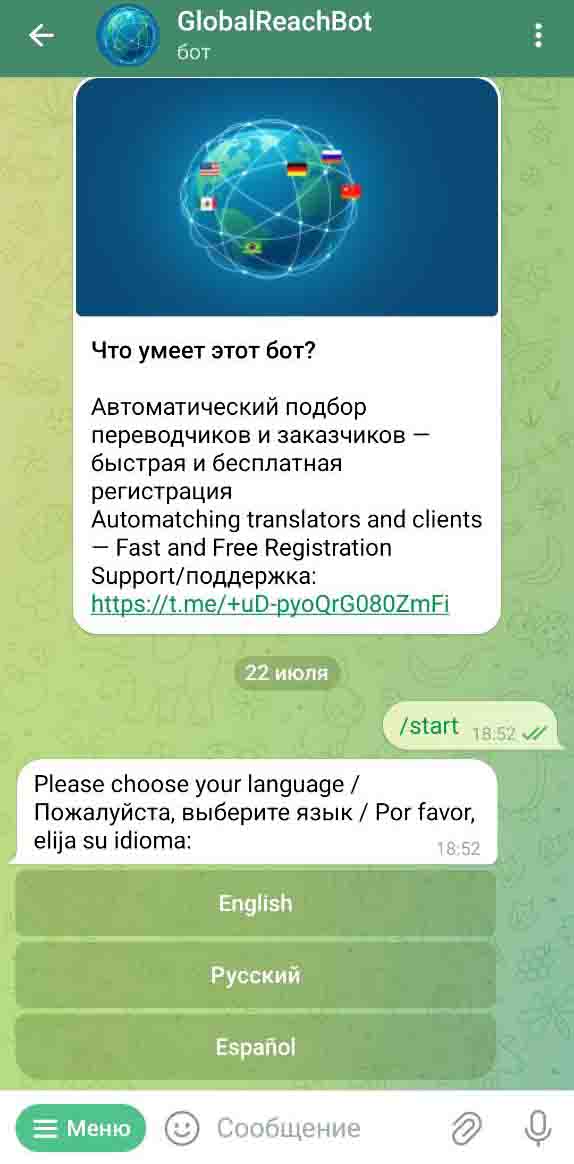
After starting the bot, tap on your language to select bot interface language for better user experience.
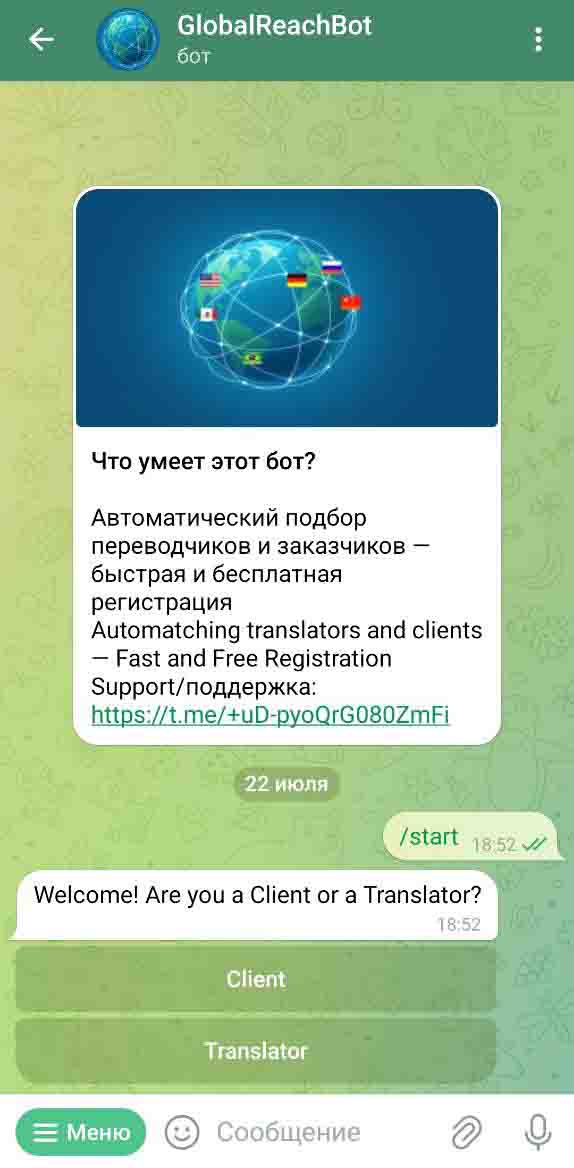
Now select your role — choose "Client" if you want to find translators for your projects or "Translator" if you are providing services.
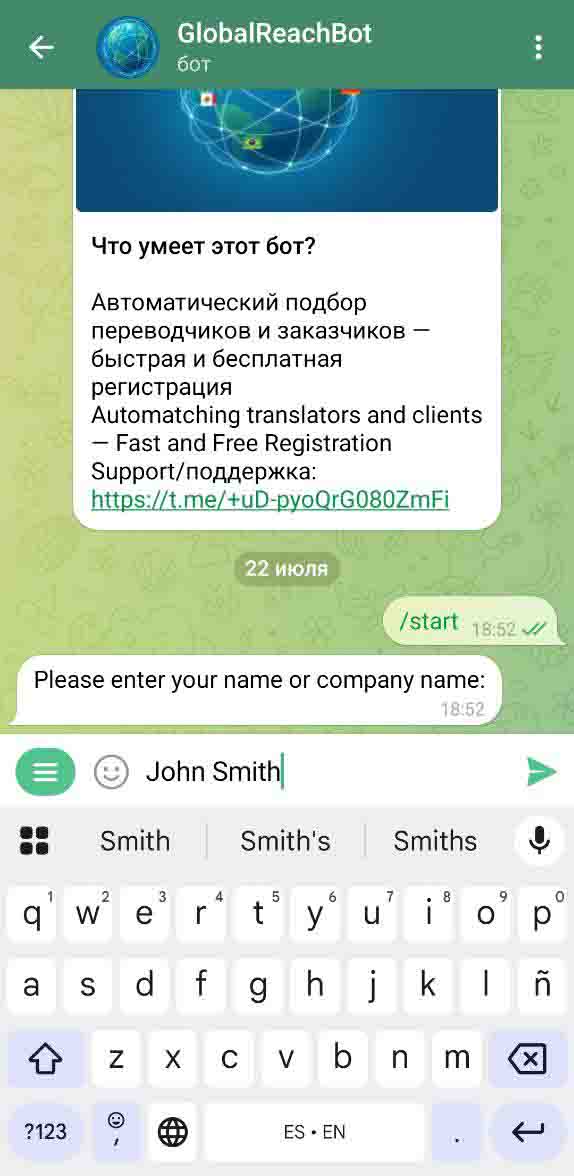
The next step is to enter your name — just type it as a reply to the bot's request. It will be visible to the counterparty in case of a successful match.
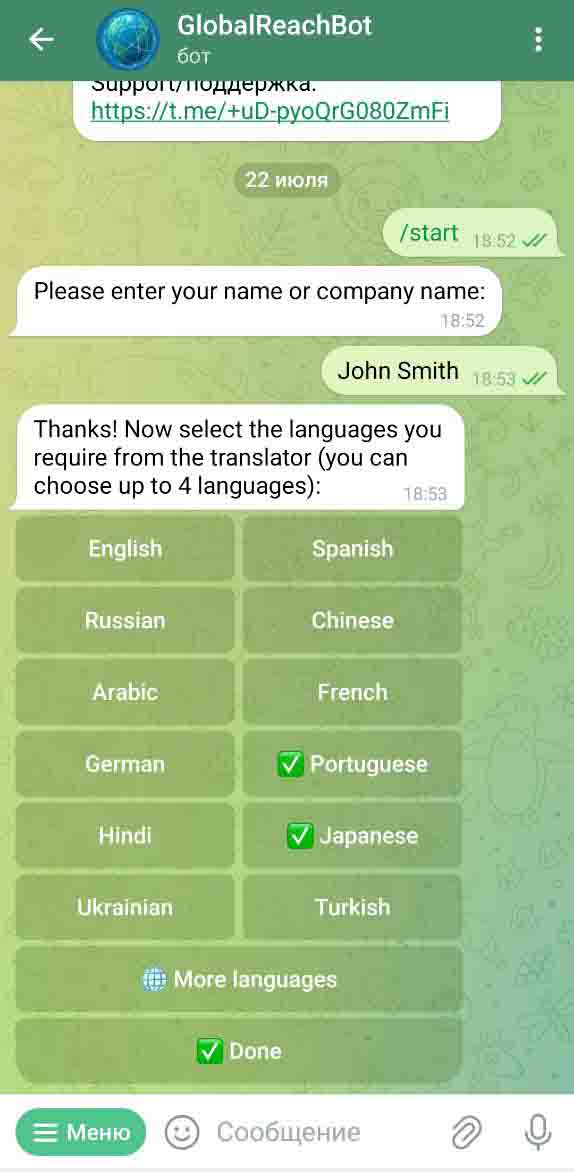
Then you will be prompted to select required/spoken languages: Clients can choose the languages they need from a translator, while translators must select the languages they work with, including their native language. Tap on the languages to select (green tick means a language is selected). If you don't see your language in the list, tap "More Languages" to see the full list. After selecting all languages, tap "Done" to move to the next step.
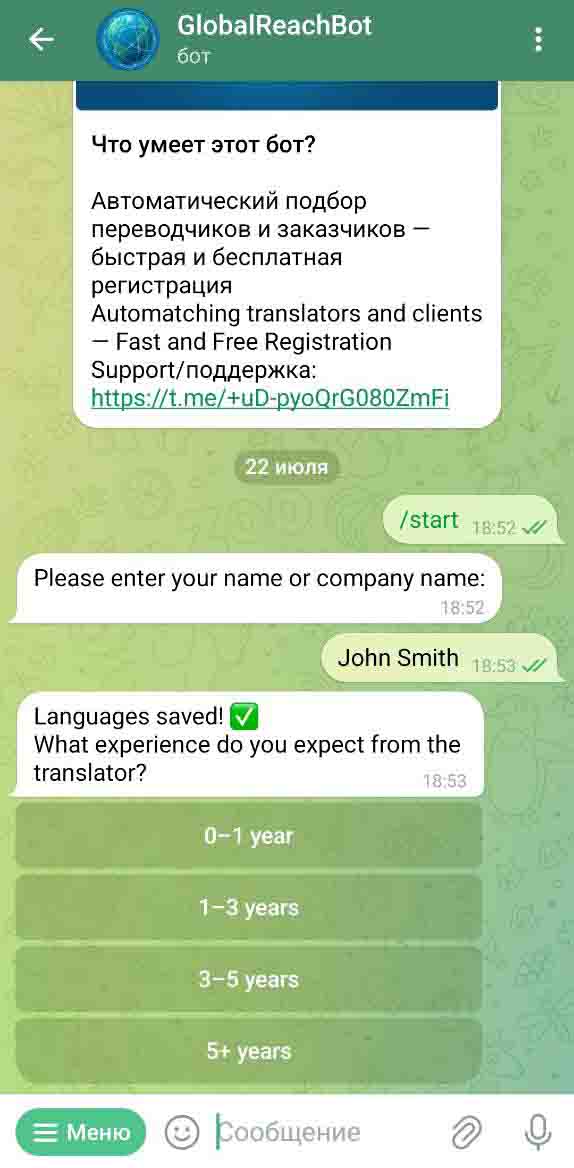
At this step you need to select the experience you have/expect from the translator.
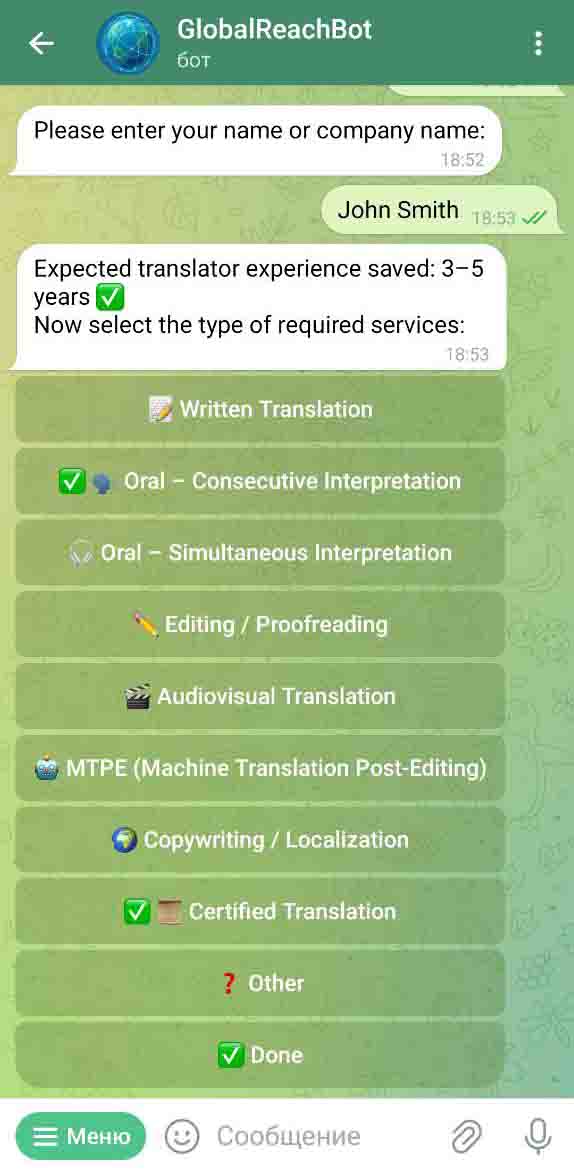
On this screen you need to select the type of services you need/provide. Choose at least 1 or more relevant services. If you wish, you will be able to further specify it in the description section. Tap to tick your services and then tap "Done".
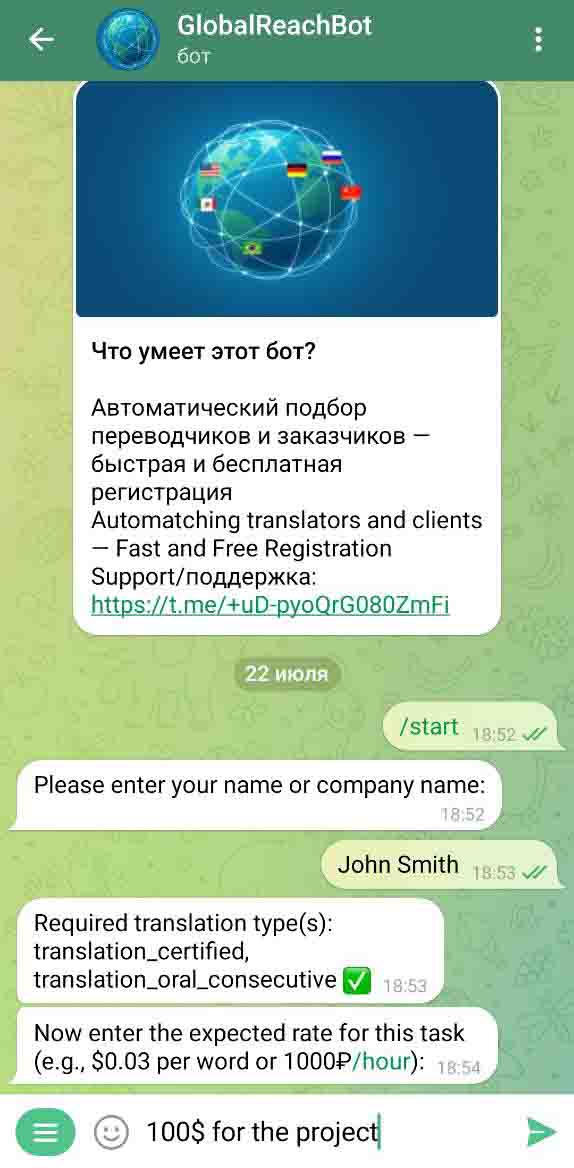
After that, you will be prompted to enter your rate/expected rate. You can reply to the bot in any form, including "Negotiable", "20$ per hour and more", "Depends on projects" etc. The text will be shown to the counterparty exactly as you enter it.
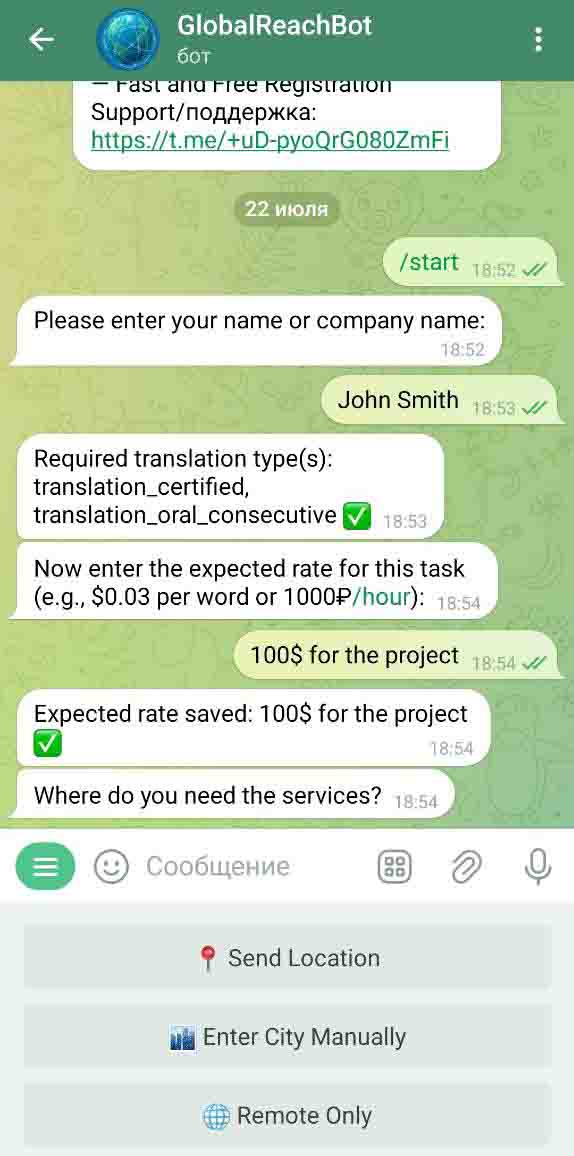
On this screen select one of the three options: 1) "Send Location" will send you actual location using GPS of your phone. This feature is available on mobile devices only, and Telegram must have permission to your GPS location. 2) "Enter city manually" — use it to type your city in a reply to the bot. 3) Choose "Remote only" if you have a remote project (for clients) or work only from home (for translators). In this case you will be forwarded right to the last Description step.
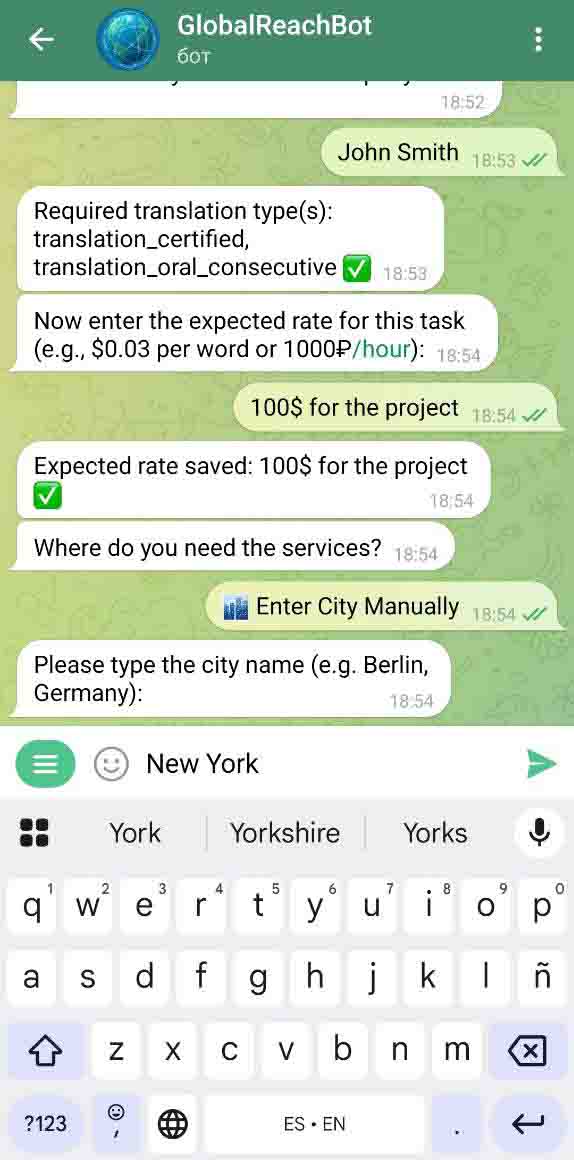
You will see this screen only if you selected "Enter city manually" in the previous menu. Type your city/town and send the message to the bot.
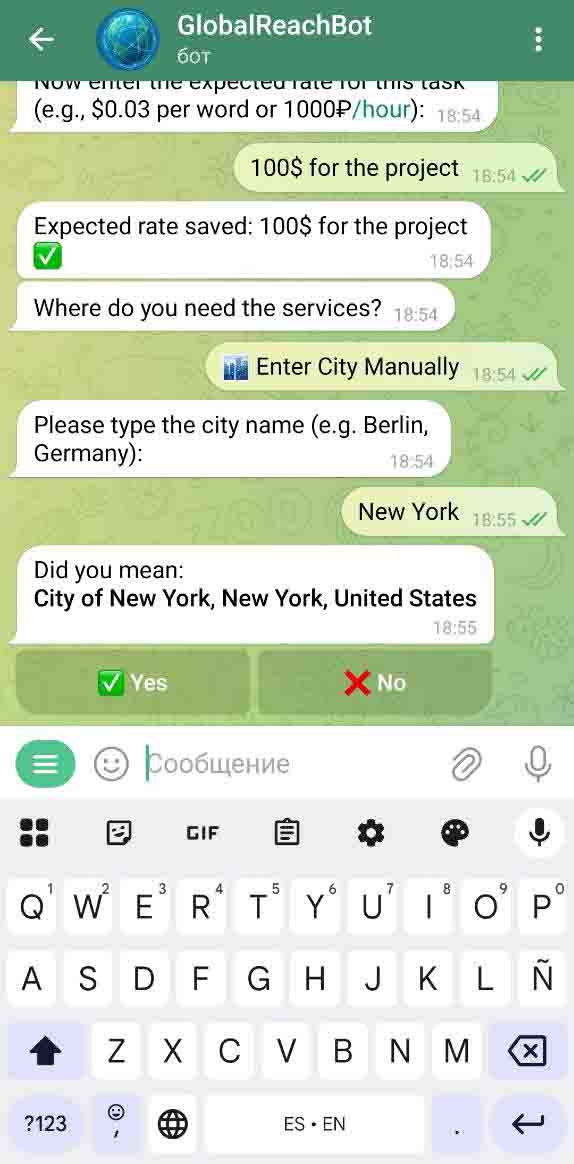
At this step, the bot makes sure it got your location right — please check it and press "yes" if it is correct, otherwise press "No" and try to enter it again with more detail, like adding country or state/region.
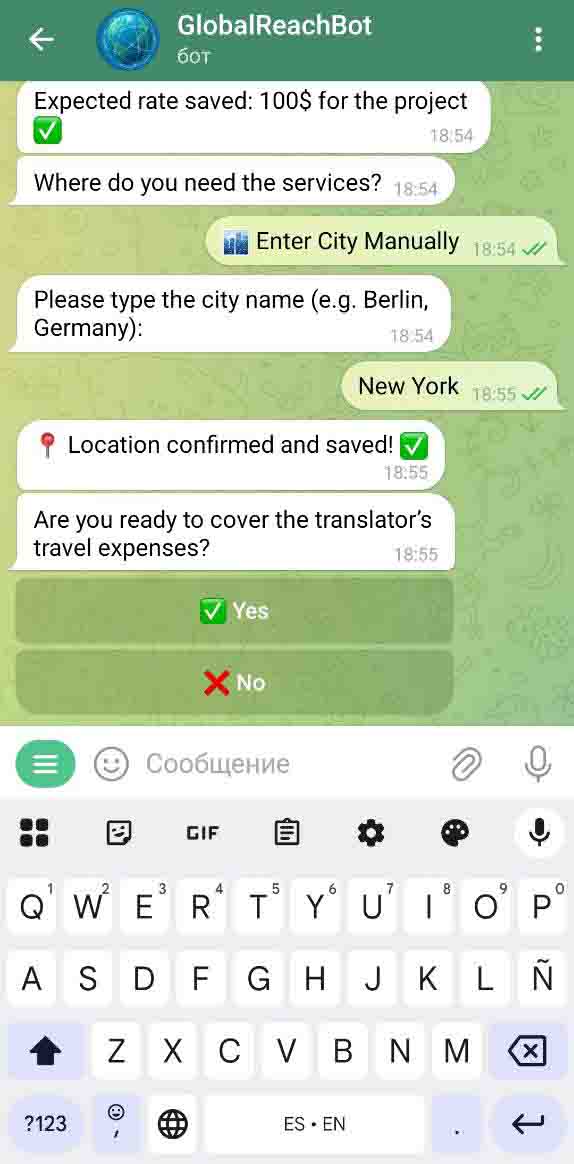
When your location is saved, the bot will ask clients if they're ready to cover the translator's travel expenses, while translators will be asked if they're ready to travel for work.
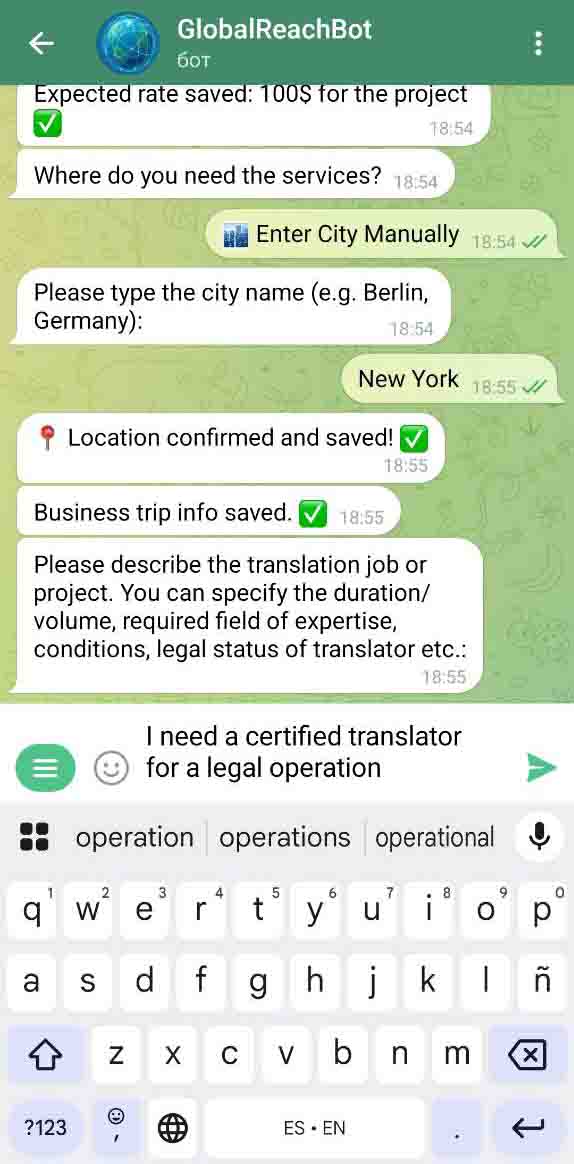
At the last registration step Clients can add any useful info about the project, and translators can give a brief overview of their fields of expertise and experience. If you don't know what to write, just leave a "—", "none", or any other text, but remember that it will be shown to the counterparty as it is.
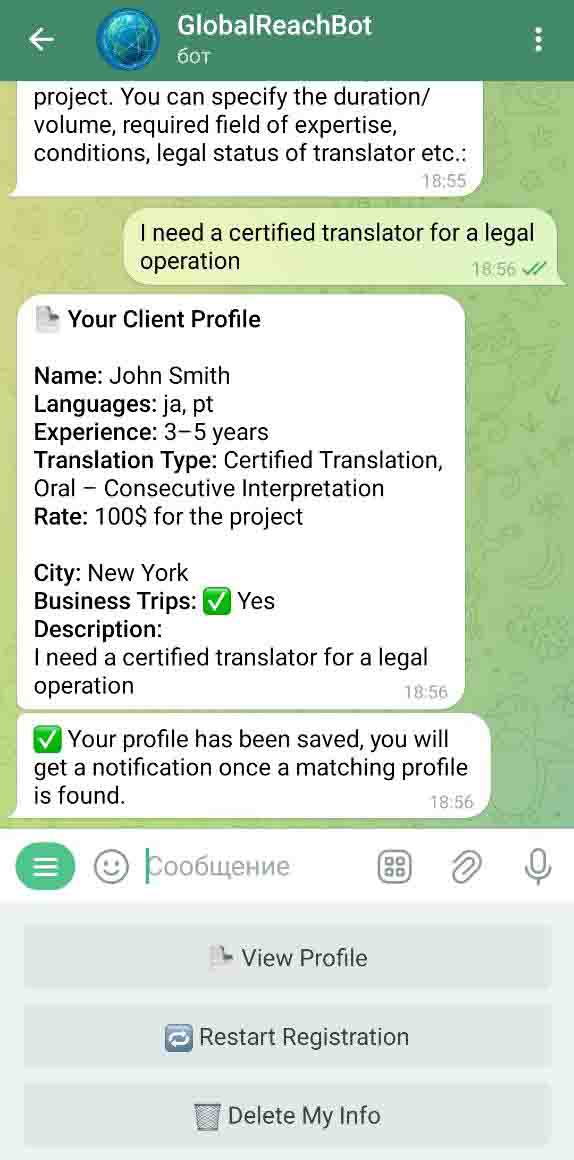
Great job! Now you have registered and can see your profile. You will get relevant notifications as soon as your match is found. Meanwhile, you can "View profile" to see your info, "Restart Registration" to make changes to your profile, or "Delete My Info" to stop getting notifications.
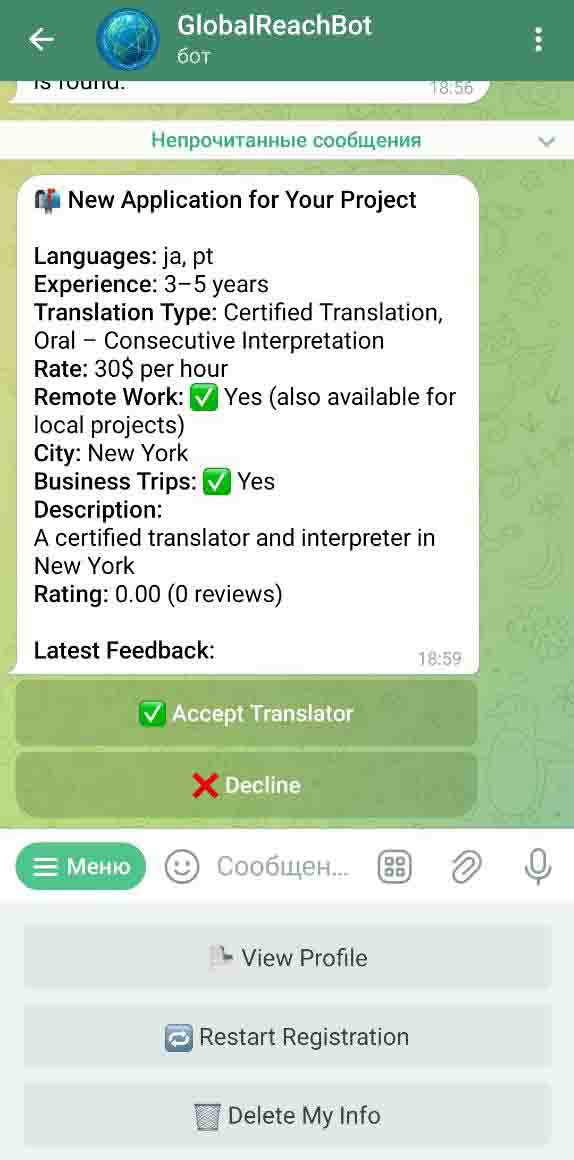
Once a match is found, you will get a notification. Check the Clients/Translators profile and either accept or decline it.
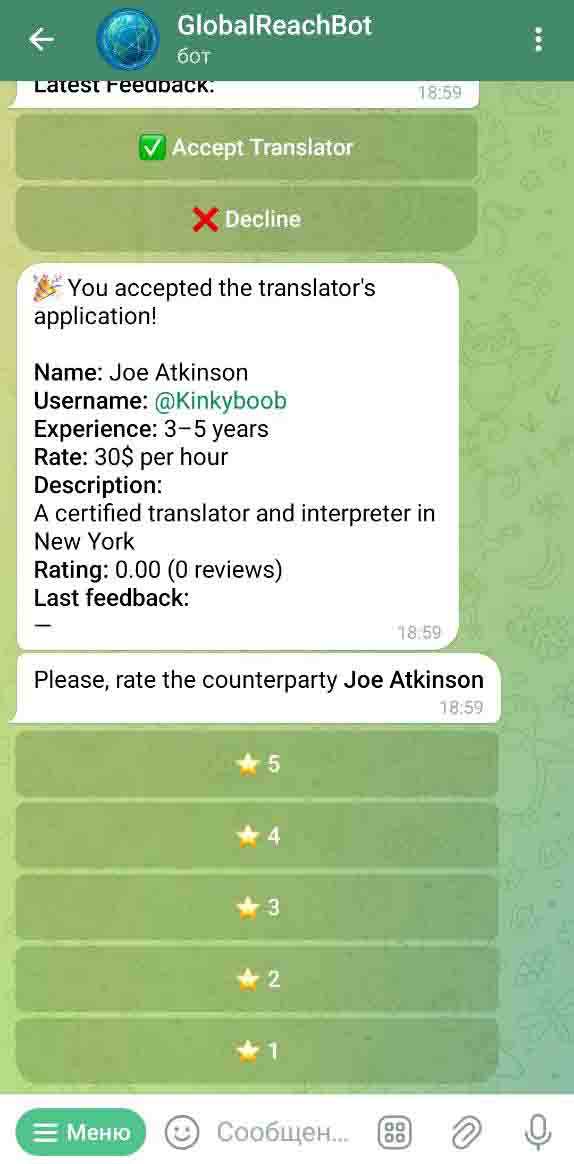
Congrats! If both parties agree, they will get each other's Telegram username and will be able to communicate directly. You will be also prompted to rate the counterparty, you can do it later, when the project is finished. Your rating will be saved and shown for other users.
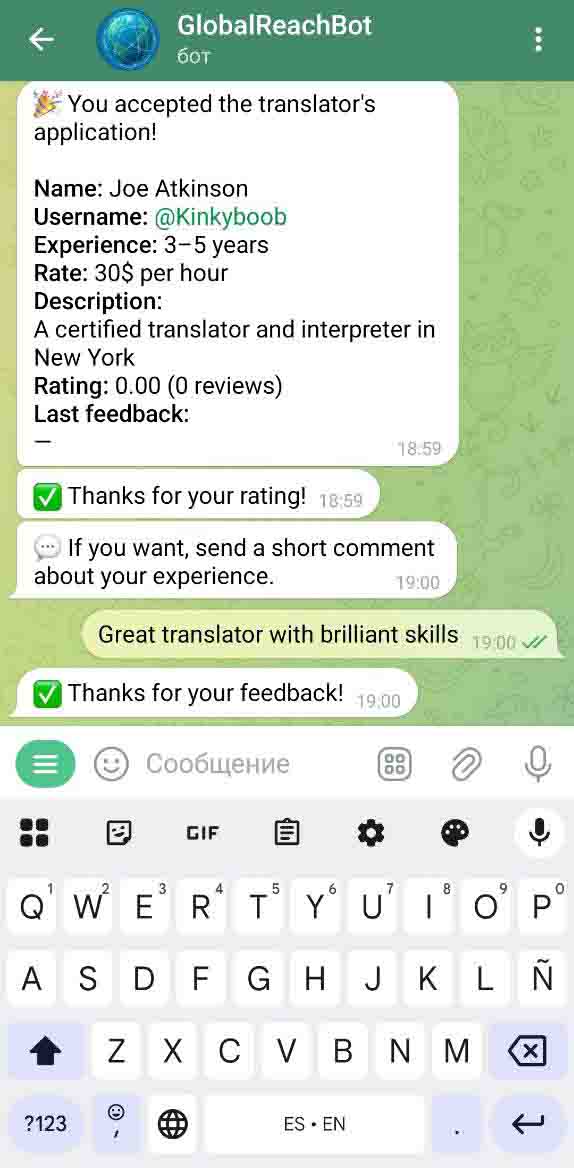
After rating, you can add a short feedback about the counterparty for other users to see how good the prospect is.